
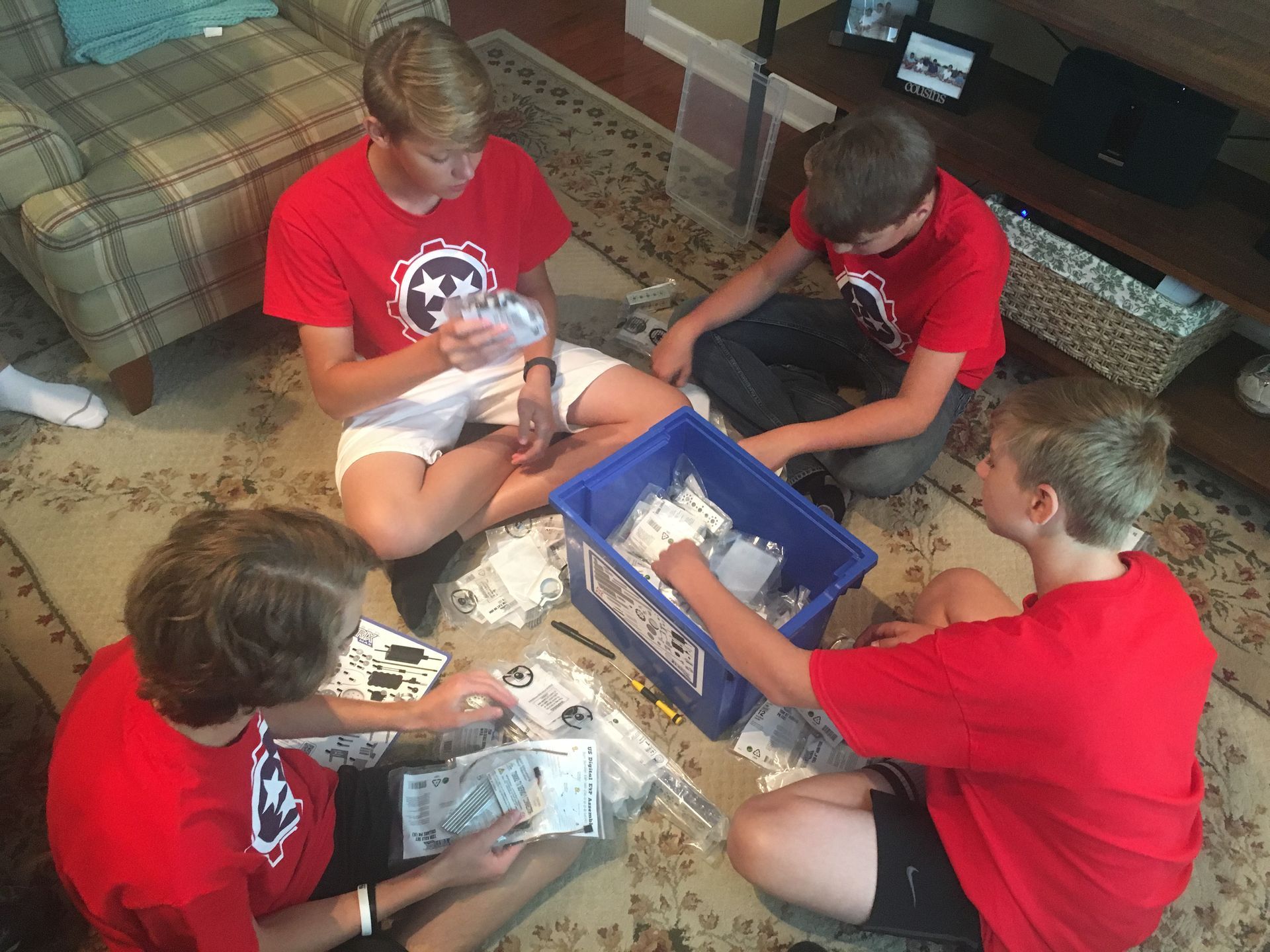
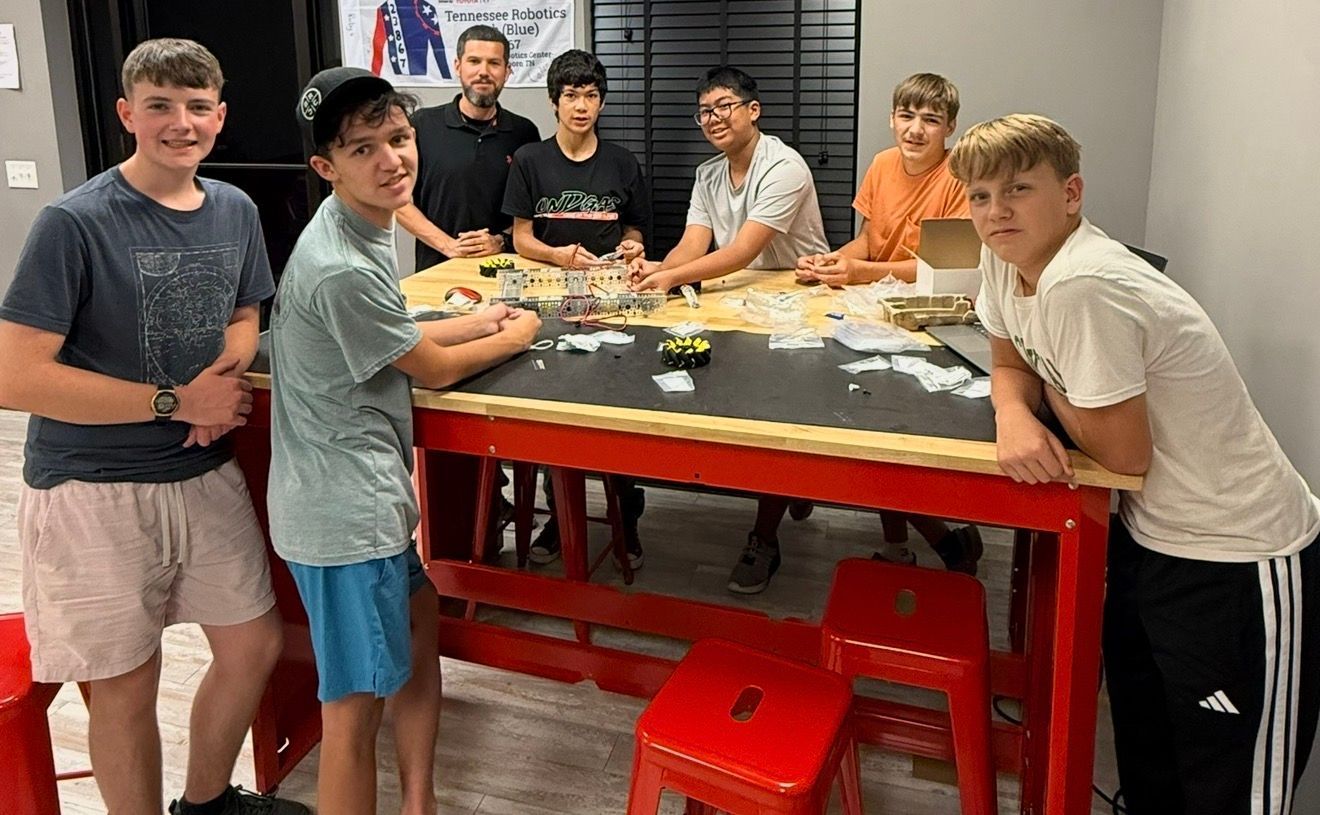

Real tools, real robots and Mentors who coach every step, right here in the TRC lab.
Skills AI can't replace
As AI takes over routine tasks, the students who stand out are the ones who can design, build, test and lead. TRCreator Labs develops those skills every week, one project at a time.
Build with real tools
From hand tools and 3D printers to shop power tools and metal fab. Making physical things takes judgment and hands-on skill no chatbot has.
Design, test, debug
Every mission runs through the engineering design process. Students plan, build, watch it fail, figure out why and make it better.
Use AI as a tool
Coding Lab missions show students how AI works, where it helps and when to check its answers, so they drive the tool instead of the other way around.
Explain and lead
Students present projects at monthly showcases, and Pathfinders lead builds and teach younger students as TRC Mentors.
One monthly membership
Every plan includes Mission Log progress tracking, Mentor sign-offs and challenge coins for every expedition. Book your lab blocks in Sawyer and switch times whenever you need to.
| Plan | Monthly | Labs per week | Labs per month | Price per lab | Founding Crew per lab |
|---|---|---|---|---|---|
| K–2 · 1 lab a week | $99 | 1 Discovery Lab (1 hr) | about 4 | $23 | $17 |
| K–2 · with 2nd lab | $139 | 2 Discovery Labs (1 hr) | about 9 | $16 | $13 |
| 3–5 · 1 lab a week | $129 | 1 lab (90 min) | about 4 | $30 | $24 |
| 3–5 · 2 labs a week | $199 | 2 labs (90 min) | about 9 | $23 | $20 |
| 3–5 · 3 labs a week | $229 | 3 labs (90 min) | about 13 | $18 | $16 |
| 6–8 · 1 lab a week | $149 | 1 lab (90 min) | about 4 | $34 | $29 |
| 6–8 · 2 labs a week | $219 | 2 labs (90 min) | about 9 | $25 | $22 |
| 6–8 · 3 labs a week | $249 | 3 labs (90 min) | about 13 | $19 | $17 |
| 9–12 · 1 lab a week | $179 | 1 lab (90 min) | about 4 | $41 | $36 |
| 9–12 · 2 labs a week | $259 | 2 labs (90 min) | about 9 | $30 | $27 |
| 9–12 · 3 labs a week | $299 | 3 labs (90 min) | about 13 | $23 | $21 |
Pick your lab time
Labs run Monday, Tuesday, Thursday and Saturday. Book the block that fits your week. Your plan sets how many labs you can book each week.
| Block | Days | Time | Best for |
|---|---|---|---|
| Block A | Mon · Tue · Thu | 11:00 AM – 12:30 PM | Homeschool · Grades 3–5 & 6–8 (separate labs) |
| Block B | Mon · Tue · Thu | 1:00 – 2:30 PM | Homeschool · Grades 3–5 & 6–8 (separate labs) |
| Block C | Mon · Tue · Thu | 4:30 – 6:00 PM | Afterschool · Grades 3–5 & 6–8 (separate labs) |
| Block D1 · Discovery Lab | Mon · Tue · Thu | 11:00 AM – 12:00 PM | Homeschool · Grades K–2 |
| Block D2 · Discovery Lab | Mon · Tue · Thu | 3:30 – 4:30 PM | Homeschool or early afterschool · Grades K–2 |
| Block D3 · Discovery Lab | Sat | 9:30 – 10:30 AM | Everyone · Grades K–2 |
| Block E | Mon · Tue · Thu | 6:00 – 7:30 PM | Afterschool · Grades 3–5 & 6–8 (separate labs) |
| Block H1 | Mon | 11:00 AM – 12:30 PM | Homeschool · Grades 9–12 |
| Block H2 | Mon | 1:00 – 2:30 PM | Homeschool · Grades 9–12 |
| Block H3 | Tue · Thu | 6:00 – 7:30 PM | Afterschool · Grades 9–12 |
| Block S1 | Sat | 9:30 – 11:00 AM | Everyone · Grades 3–5 & 6–8 (separate labs) |
| Block S2 | Sat | 11:00 AM – 12:30 PM | Everyone · Grades 3–5 & 6–8 (separate labs) |
| Block S3 | Sat | 1:00 – 2:30 PM | Everyone · Grades 9–12 |
Discoverer to Pathfinder
Each grade band has its own lab, so students learn alongside kids their own age. Inside their lab, they move up by mastery, one SuperSkill at a time.
See every skill we build
Each SuperSkill is written as an "I can" statement that your student shows a Mentor before it is signed off in their Mission Log. Tap a rank to see its expeditions, SuperSkills and capstones.
Discoverer · Grades K–2 8 foundation skills
- Build It I can build something that stands up on its own
- Build It I can cut and connect cardboard safely
- Move It I can make something roll farther by changing it
- Move It I can make a motor turn a build
- Code It I can give step-by-step directions in order
- Code It I can make a robot or character follow my commands
- Launch It I can launch something and say what made it go farther
- Launch It I can test my design, fix it and try again
Ready for Explorer: all 8 foundation stickers on the Mission Log, usually by grade 3.
Explorer · Grades 3–5 SuperSkills 1–27 + 9 capstones
Explorers learn how machines, circuits and code work, then use them to solve a goal.
- EX1-01 Robotics I can build a stable structure from a plan
- EX1-02 Robotics I can explain how gear size changes speed and strength
- EX1-03 Robotics I can control a motor's speed and direction
- EX1-04 Engineering I can use hand tools and safety glasses the right way
- EX1-05 Engineering I can build a closed circuit that lights an LED
- EX1-06 Engineering I can change one variable, measure the result and record it
- EX1-07 Coding I can write a program as a sequence of steps
- EX1-08 Coding I can program a robot to drive a planned path
- EX1-09 Coding I can find and fix a bug in a program
- Capstone · Robotics Winch Recovery: Build and program a winch that lifts a load
- Capstone · Engineering Rescue Beacon: Build and test a lit beacon with a switch circuit
- Capstone · Coding Path Planner: Program a robot through a planned route
- EX2-01 Robotics I can build a sturdy two-motor drivetrain
- EX2-02 Robotics I can use touch and color sensors to trigger an action
- EX2-03 Robotics I can use a lever or linkage to change the direction of motion
- EX2-04 Engineering I can turn a sketch into a simple 3D model
- EX2-05 Engineering I can add a switch and buzzer to a circuit and fix it when it fails
- EX2-06 Engineering I can run a fair test to compare three designs
- EX2-07 Coding I can explain how an AI sorts things using data
- EX2-08 Coding I can use a loop to repeat steps
- EX2-09 Coding I can use a variable to keep score or count
- Capstone · Robotics Maze Runner: Build a sensing rover that solves a maze
- Capstone · Engineering Fin Challenge: Model, build and test rocket fins
- Capstone · Coding Smart Sorter: Code and train an AI to sort objects
- EX3-01 Robotics I can build a gripper that picks up and releases an object
- EX3-02 Robotics I can complete a robot challenge within its rules and time limit
- EX3-03 Robotics I can combine sensors and turns to get through a course
- EX3-04 Engineering I can improve a design by testing and changing it
- EX3-05 Engineering I can use drag to slow a falling object and protect a payload
- EX3-06 Engineering I can design a part and 3D-print it
- EX3-07 Coding I can train an AI model with my own examples
- EX3-08 Coding I can make code and a mechanism work together
- EX3-09 Coding I can use events to make a program react
- Capstone · Robotics Rover Retrieval: Grab and return an object on a timed course
- Capstone · Engineering Lunar Lander: Design a lander that protects its payload
- Capstone · Coding Mission Control: Combine code, sensors and a mechanism in one mission
Voyager · Grades 6–8 SuperSkills 1–27 + 9 capstones
Voyagers design their own parts, write text-based code and add sensors, data and flight.
- VO1-01 Robotics I can use triangles and trusses to make a structure strong
- VO1-02 Robotics I can calculate a gear ratio and choose it for speed or torque
- VO1-03 Robotics I can load-test a structure and explain where and why it failed
- VO1-04 Engineering I can model a multi-part design that fits together
- VO1-05 Engineering I can slice a model, choose print settings and print it
- VO1-06 Engineering I can use a cordless drill and driver safely
- VO1-07 Coding I can write a Python program with variables to drive a route
- VO1-08 Coding I can describe an algorithm and how a computer uses data
- VO1-09 Coding I can use functions to organize my code
- Capstone · Robotics Truss Tower: Design and load-test the strongest light tower
- Capstone · Engineering Spare Part: Design and 3D-print a working replacement part
- Capstone · Coding Route Runner: Drive a planned route in Python using functions
- VO2-01 Robotics I can power a mechanism with a motor and battery
- VO2-02 Robotics I can use a sensor input to control an output without code
- VO2-03 Robotics I can build an arm that lifts and places a load
- VO2-04 Engineering I can model a part from sketches and extrudes in CAD
- VO2-05 Engineering I can wire an Arduino input and output on a breadboard
- VO2-06 Engineering I can measure a robot and design a part that fits it
- VO2-07 Coding I can program a robot to follow a route by distance and heading
- VO2-08 Coding I can use if-else with sensor readings to make decisions
- VO2-09 Coding I can debug a program by testing one part at a time
- Capstone · Robotics Cargo Run: Lift, carry and place cargo with an arm robot
- Capstone · Engineering Fit Check: Measure, model and print a part that fits a robot
- Capstone · Coding Autonomous Sort: Use sensor decisions to sort objects on their own
- VO3-01 Robotics I can build to a written specification
- VO3-02 Robotics I can share roles and build one robot as a team
- VO3-03 Robotics I can drive a robot accurately under time pressure
- VO3-04 Engineering I can run a pre-flight checklist and follow drone safety rules
- VO3-05 Engineering I can build a stable rocket with a recovery system
- VO3-06 Engineering I can collect sensor data and graph it
- VO3-07 Coding I can program a drone to fly a planned pattern
- VO3-08 Coding I can plan and code a multi-waypoint mission
- VO3-09 Coding I can store and use data in a list
- Capstone · Robotics Skills Challenge: Build and drive a team competition robot
- Capstone · Engineering Rocket Recovery: Launch and recover a rocket with flight data
- Capstone · Coding Resupply Mission: Fly a coded multi-waypoint drone delivery
Navigator · Grades 9–12 SuperSkills 1–27 + 9 capstones
Navigators build custom electronics, fabricate with power tools and run a full engineering project. Soldering, power tools and metal fabrication require a Lead at the station and a minimum age of 12.
- NA1-01 Robotics I can build and drive a swerve drive base
- NA1-02 Robotics I can use encoder feedback to control a motor precisely
- NA1-03 Robotics I can control a servo to move a mechanism to set positions
- NA1-04 Engineering I can make clean, reliable solder joints
- NA1-05 Engineering I can read and calibrate analog and digital sensors
- NA1-06 Engineering I can use Ohm's law to size a safe power circuit
- NA1-07 Coding I can write C++ programs with functions and variables
- NA1-08 Coding I can log sensor data and explain what it shows
- NA1-09 Coding I can use a library and its documentation to add a feature
- Capstone · Robotics Precision Arm: Move a servo arm to exact positions with feedback
- Capstone · Engineering Moon Base Monitor: Solder and power a sensor station for a moon base
- Capstone · Coding Data Dashboard: Log, process and display live sensor data
- NA2-01 Robotics I can design a suspension that crosses rough terrain
- NA2-02 Robotics I can design a mechanism that collects and scores a game piece
- NA2-03 Robotics I can run a robot through autonomous and driver-controlled play
- NA2-04 Engineering I can operate a saw and drill press safely
- NA2-05 Engineering I can measure, mark, cut and bend a metal part to size
- NA2-06 Engineering I can build a multi-part CAD assembly with moving parts
- NA2-07 Coding I can combine two sensors to make a better decision
- NA2-08 Coding I can program a robot with clear modes and transitions
- NA2-09 Coding I can use version control to save and share code
- Capstone · Robotics Mars Rover: Build a rocker-bogie rover that crosses rough terrain
- Capstone · Engineering Fabricated Chassis: Design in CAD and fabricate a metal chassis
- Capstone · Coding Autonomous Routine: Program a robot with modes for a full match
- NA3-01 Robotics I can write requirements and constraints for an original project
- NA3-02 Robotics I can build a working prototype to test an idea
- NA3-03 Robotics I can improve a design using test data
- NA3-04 Engineering I can present a design and respond to feedback
- NA3-05 Engineering I can plan a build with a parts list, budget and schedule
- NA3-06 Engineering I can document a project in an engineering notebook
- NA3-07 Coding I can write, comment and organize code for a full project
- NA3-08 Coding I can earn an industry robotics credential
- NA3-09 Coding I can write tests to check that my code works
- Capstone · Robotics Prototype Demo: Build and demo a working prototype of an original idea
- Capstone · Engineering Flight Readiness Review: Present and defend a complete engineering project
- Capstone · Coding Release Day: Ship tested, documented code for a full project
Pathfinder · Grades 9–12 High school credit + CMU credentials
A Navigator Engineer who is at least 14 can move up to Pathfinder, where high schoolers earn high school credit and work toward Carnegie Mellon Robotics Academy credentials.
- Engineering Math & Design
- Computer Science & AI
- Robotics Engineering I
- Robotics Engineering II
- Fabrication Foundations
- Mechanical Foundations
- Electrical Foundations
- Software Foundations
- Robotics Integration
Earning all five micro-certifications qualifies a student for the full SMART Certification. See how it works
The SuperSkills map is subject to change as we align our curriculum to an ever-changing education landscape. The SuperSkills, missions, capstones and ranks of TRCreator Labs are proprietary to the TRConstellation Curriculum by Tennessee Robotics Center. © 2026 TRC Education LLC. All rights reserved.
Accept the challenge. Complete the mission.
Carnegie Mellon robotics credentials
Pathfinder units build toward the five SMART Robotics Technician Micro-Certifications from the Carnegie Mellon Robotics Academy. Students on a TRC FIRST Tech Challenge team can earn them by submitting evidence of their robot and passing Carnegie Mellon's knowledge assessments. Earning all five qualifies a student for the full SMART Certification, an industry-recognized credential for robotics and automation careers.
| Carnegie Mellon micro-certification | Where Pathfinders build it |
|---|---|
| Fabrication Foundations | Unit 1: Metal fabrication |
| Mechanical Foundations | Units 2 and 4: REV robotics, CAD and printing |
| Electrical Foundations | Unit 2: Robotics 1 (REV) |
| Software Foundations | Unit 3: Robotics 2 (REV) |
| Robotics Integration | Unit 5: Capstone |
The Tool License
No student uses a tool until they've earned its skill sign-off. That's our safety system and our progression in one.
Learn it
An instructor demonstrates the tool and explains how it can hurt you and how to stay safe.
Practice it
Students use the tool with an instructor right beside them until they're steady and confident.
Prove it
Students show they can use it safely on their own. Only then does it unlock for solo use in Open Lab.
Always on
Safety glasses for every build. Hearing protection for power tools. Some tools stay instructor-only at every rank.
Simple, flexible terms
- ✓ Monthly membership, no semester commitment
- ✓ Billing renews on the same day each month
- ✓ One-time crew kit: $99 ($49 Founding Crew)
- ✓ Cancel anytime with 14 days' notice before your next billing date; monthly fees are not refunded
- ✓ Keep the same seat every week
- ✓ Swap to another open lab when your week changes
- ✓ Missed labs don’t carry over
- ✓ Your grade’s own lab, at your own level
- ✓ Founding Crew rate locked in while active
- ✓ Launch Day for $60 instead of $75
- ✓ FRIEND25 referral: $50 credit for your family
- ✓ Siblings save 10%
Frequently asked
What is the difference between a class and a lab?
Classes kept every student on the same lesson. In TRCreator Labs, each student works on the next mission at their own level, with a Mentor checking their work and signing off each SuperSkill.
How do I know which rank my student starts at?
Your student joins the lab for their grade: K–2 Discovery Lab (Discoverer), 3–5 Explorer Lab (Explorer), 6–8 Voyager Lab (Voyager) or 9–12 Pathfinder Lab (Navigator, then Pathfinder). Inside that lab, experienced TRC students start at their placement, and your coach sets their first goals at the first lab. Students stay with their grade band and move to the next lab when they reach that grade.
Can we change lab times?
Yes. Your student keeps the same seat every week, and you can move to a different open block your plan includes whenever your schedule changes.
What if we miss a week?
Swap to another open lab the same week. Missed labs don’t carry over to the next week.
Where can I see all the skills?
Every SuperSkill is listed on this page in the SuperSkills map. Registered families also get the printable SuperSkills Map PDF.
What should my student wear?
Closed-toe shoes and clothes that can get a little messy. No loose sleeves or dangling jewelry, and long hair tied back. Safety glasses come in the crew kit.
Is it safe for younger kids to use real tools?
Yes. No student uses a tool until they have earned its sign-off, and some tools stay instructor-only at every rank. Soldering, power tools and metal fabrication require a Lead at the station and a minimum age of 12.
Can we try it first?
Yes. Come to a Saturday Launch Day, a themed build open to everyone.
Launch Day
A themed Saturday build open to everyone, and the best way to see TRCreator Labs before you join. Our first public Launch Day is Saturday, December 12.
Join the Founding Crew
Create learning on your schedule
TRCreator labs offers students flexible learning opportunities
TRCreator Lab is a weekly pass program tailored for students to immerse themselves in educational topics through hands-on, interactive learning labs. These passes grant supervised access to our technology, robotics, and computer science labs, offering flexible learning experiences.
TRCreator Lab offers students the opportunity to engage in a project within one of our learning labs, eliminating the need to wait for a class to conclude. Each lab session provides a generous learning block of 1.5 hours. Our TRCreator Labs feature Technology, Robotics, and Computer Science courses that are thoughtfully designed to fit the busy schedules of families, all while ensuring that students remain engaged and learning.
Rolling Enrollment:
- Join TRCreator at any time and participate in classes. Please refer to the schedule of lab times below.
Lab pass pricing:
- $55 solo (1 lab pass)
- $150 package (3 lab passes)
- $250 package (5 lab passes)
- $500 package (10 lab passes)
As parents, we all share the desire to prepare our children for a bright future. However, finding the time to squeeze in an additional class can be quite challenging. With TRCreator Lab monthly lab passes, we remove all the stress of booking a class each week by creating an enrichment program that suits your schedule. It has never been easier to attend a homeschool or afterschool STEM enrichment class.
Enroll your student today and together, let's create the future together!
What students Learn in TRCreator Lab
TRCreator Lab gives students time to work on their own projects, and these are the skills they build while they do it. The same engineering habits serve students in the classroom, on a competition team and in everyday life.
01. Students turn ideas into builds
Students start with their own idea and carry it all the way to a working robot or LEGO creation. They learn to plan, build, test and improve, which is the same design process real engineers use.
02. Students own their projects
Guided by monthly themes, students work with a TRC mentor to decide what to build, set a goal for each lab session and take responsibility for finishing what they start.
03. Students debug and troubleshoot
When a build falls apart or the code won't run, students track down the cause and fix it themselves. Mentors ask questions instead of handing over answers, so students learn to think through a problem one step at a time.
04. Students manage their time and space
With 1.5 hours of open lab time, students learn to pace their work, find the tools and parts they need, and leave their workstation clean and ready for the next builder.
05. Students build creative confidence
Every finished project proves they can make something from nothing. Students leave able to try bold ideas, learn from what doesn't work and share what they've built with others
Your project. Your schedule. Real tools.
TRCreator Lab is open lab time for kids who want to build their own ideas. There's no set curriculum and no weekly commitment. Students come in with an idea, or find one here, and a TRC mentor helps them turn it into something real.
How a lab session works
- Check in and pick a project. We have monthly themes we work on. Mentors will help students start something new or pick up where they left off.
- Plan it in your TRC Engineering Notebook. Sketch it, list what you'll need and set a goal for the session.
- Build, test, fix. Use [3D printers, CAD software, robotics kits, LEGOs, electronics] with a mentor nearby.
- Log your progress. Write down what worked and what didn't, so next time you start ahead instead of starting over.
- Gear Up! Students earn a mission gear to place in their visible Mission Progress board in the Gateway lounge for everyone to see.
- Mission Accomplished! Once all gears have been earned for that level, students earn their mission patch for their grade.
What kids take home
- Something they built themselves
- An Engineering Notebook full of their own ideas and mission completion badges
- The confidence to figure things out on their own
- Open to grades [3–12]. Every session is 1.5 hours, and a mentor is always in the lab.
Want a step-by-step path?
TRClass gives students a more structured curriculum, with a capstone project as they move from Discoverers to Pathfinders.